
The Bell Cyber Breach: What Was Taken, and What Alberta Organizations Should Do Now
Bell says an "agentic" attacker took customer contact and account details on Nov 17. Why the real risk is convincing scams, and what to do now.
November 25, 2026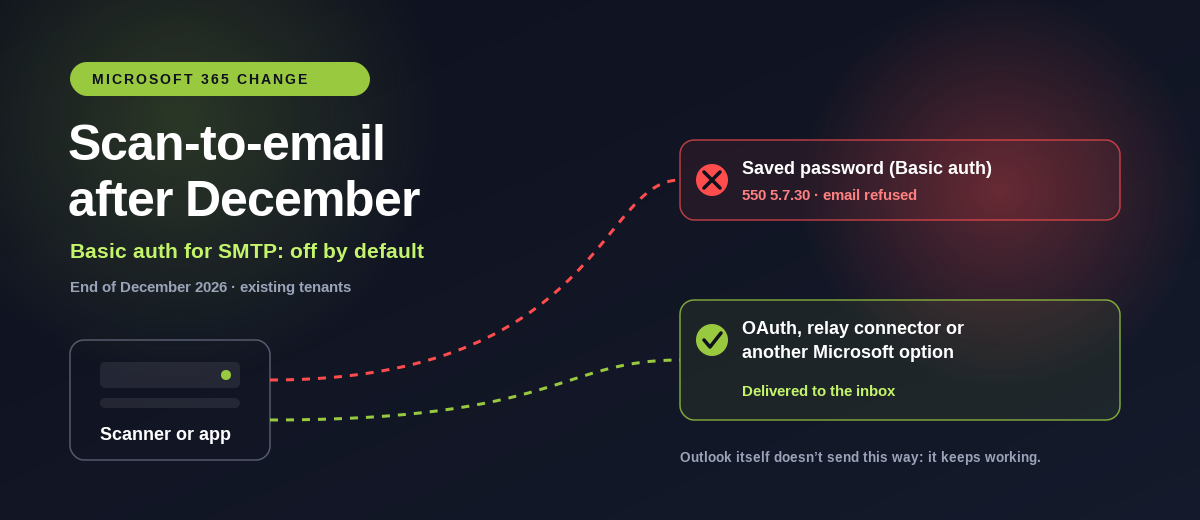
If your office copier scans documents straight to someone's inbox, or an accounting, booking or reporting program sends emails through your Microsoft 365 account, there's a change coming at the end of December that you'll want sorted out before everyone leaves for the holidays.
Microsoft has confirmed that at the end of December 2026 it will turn off Basic authentication for SMTP AUTH by default in existing Microsoft 365 organizations. In plain words: devices and programs that send email by signing in to Microsoft 365 with a plain username and password will start having their email refused.
Most people in your office won't notice anything. Outlook, Outlook on the web and the Outlook phone app don't send email this way, so everyday email keeps working.
The things that can break are the "behind the scenes" senders that someone set up years ago and nobody has thought about since:
The risk isn't a security breach. It's a quiet failure at a bad time: the change lands over Christmas, when many offices are closed or short-staffed, and the first sign of trouble may be a staff member in January saying "my scans never arrived." Finding out now costs a few minutes. Finding out then costs a morning of confusion and documents that went nowhere.
Does anything in our office send email by itself, like a scanner, software or alarm system?
Does it send through our Microsoft 365 account (the server name smtp.office365.com) with a saved username and password?
Has someone confirmed it will keep working after the end of December?
If an IT provider looks after your Microsoft 365, the first step can be one question:
"Is anything in our office still sending email through Microsoft 365 with Basic authentication, and is it ready for the change at the end of December?"
For whoever handles your IT, here are the details.
SMTP AUTH (also called client SMTP submission) is how a device or app signs in to smtp.office365.com, usually on port 587, to send email from a mailbox. It can sign in with Basic authentication (username and password) or with modern authentication (OAuth). Microsoft's Exchange team published its updated timeline on January 27, 2026:
No change yet. Basic authentication for SMTP AUTH keeps working as it does today.
Basic authentication for SMTP AUTH is disabled by default for existing organizations. Microsoft says administrators will still be able to turn it back on if needed. New organizations created after December 2026 won't have it by default.
Microsoft says it will announce the final date for removing Basic authentication for SMTP AUTH completely.
Microsoft hasn't given an exact day in December. Plan as if it could happen any time in the last weeks of the month.
After the change, a device still using Basic authentication gets this error and the message isn't sent:
550 5.7.30 Basic authentication is not supported for Client SubmissionTwo things worth knowing:
Get-CASMailbox and Get-TransportConfig show the SmtpClientAuthenticationDisabled value.smtp.office365.com with a username and password, it's using SMTP AUTH. Note the make, model and firmware version.Microsoft's guide for multifunction devices and applications lists several ways to send email through Microsoft 365. Which one fits depends on the device and who it needs to email.
Some newer scanners and programs can sign in to Microsoft 365 with modern authentication. Check for a firmware or software update and the manufacturer's Microsoft 365 instructions. This keeps the same SMTP AUTH setup with a supported sign-in.
Create an inbound connector in Exchange Online that recognizes your office by a static public IP address or a certificate. The device sends to your domain's MX endpoint on port 25, with no mailbox password. It needs a static, unshared IP address and an SPF record entry. Common for scan-to-email in offices with a fixed Internet address.
Microsoft suggests High Volume Email for Microsoft 365 when a device or app only emails people inside your organization.
Microsoft's suggestion for apps that must send to people inside and outside your organization.
Sends unauthenticated mail to your own Microsoft 365 mailboxes only. Microsoft says most customers don't need it, recommends it only for advanced admins, and is working on an option to disable it by default.
Scan-to-email is everywhere in Alberta's small and medium organizations: clinics, accounting firms, municipal offices, farms, contractors and non-profits. Many were set up once by a copier technician and never touched again. Because the switch happens over the Christmas break, the office that checks in early December can fix it calmly. The office that doesn't may discover it on the first busy day of January, when documents have to move fast.
Reality Bytes looks after Microsoft 365 for partner organizations across Alberta as part of our managed IT services and cloud solutions. We can run the SMTP AUTH report for you, check your scanners and business apps, and move them to a supported method before the deadline, so you can spend the holidays on your organization instead of your copier. It's also a good moment to look at the rest of your Microsoft 365 sign-in security; see our cybersecurity services and our earlier post on Microsoft ending text message login codes. Not sure where you stand? Get in touch.
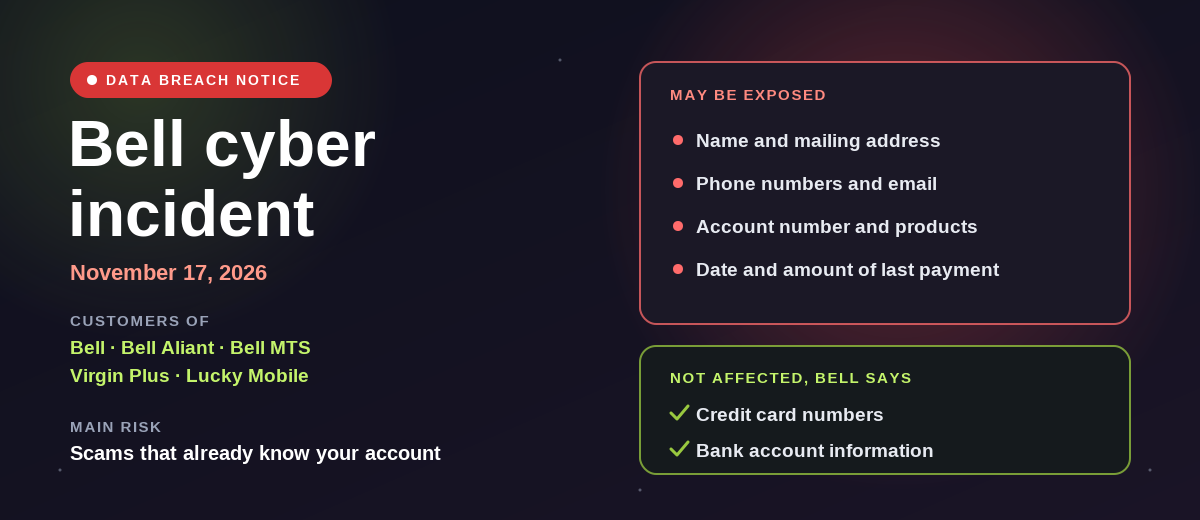
Bell says an "agentic" attacker took customer contact and account details on Nov 17. Why the real risk is convincing scams, and what to do now.
November 25, 2026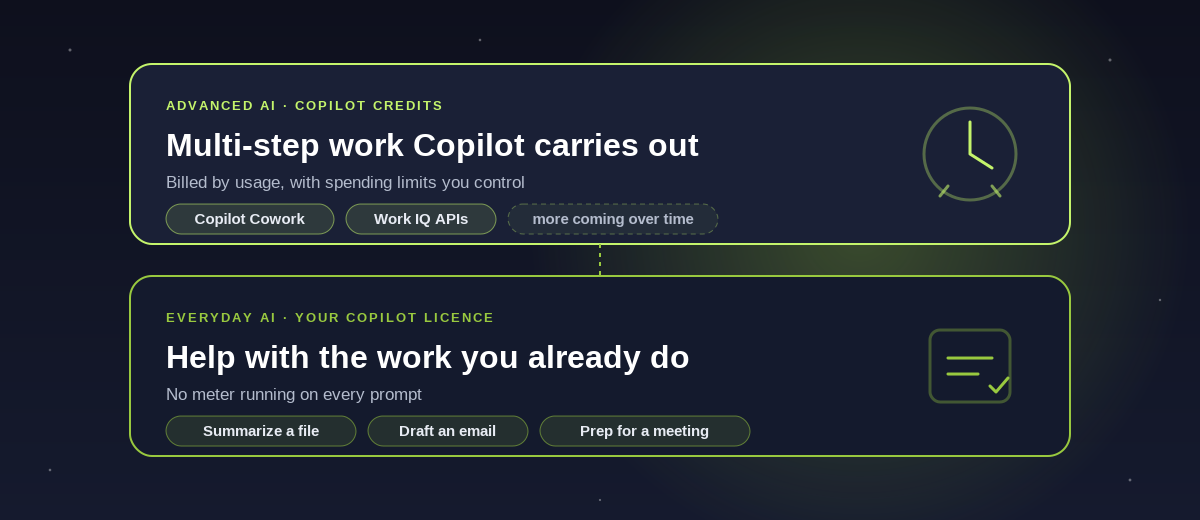
Copilot Credits, usage-based billing and the new January–March 2027 date: what’s changing in Microsoft Copilot and what your business should do now.
November 24, 2026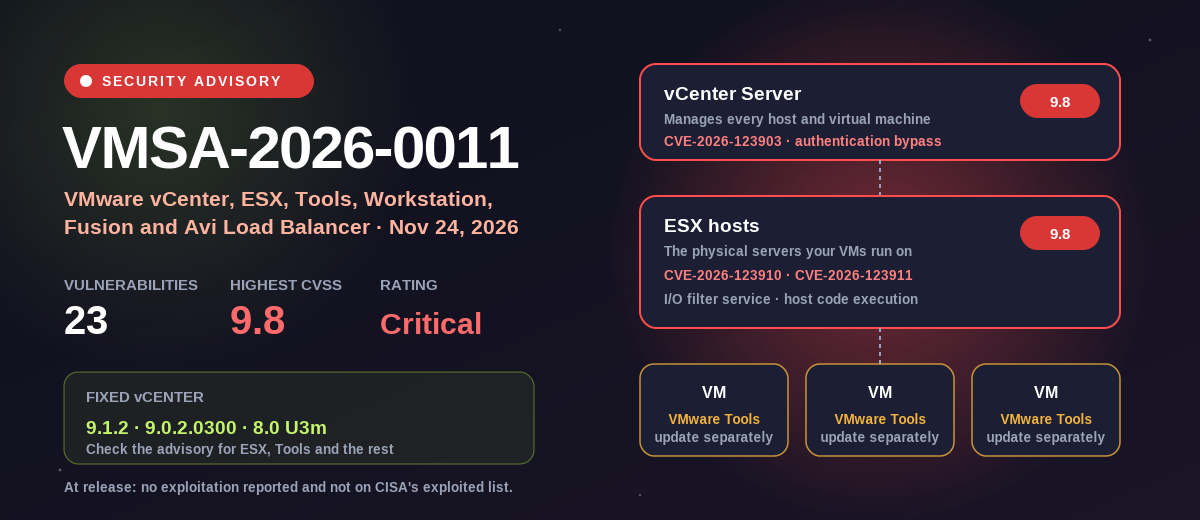
Broadcom fixed 23 VMware flaws on Nov 24, three rated 9.8 in vCenter and ESX. What it means for your servers, the fixed versions and what to do now.
November 25, 2026