
Why Buy a Real Server When a Desktop Can Do the Same Job?
Can a desktop be your server? It can, but it shouldn't always be. See why Lenovo ThinkSystem servers win on reliability, redundancy, remote management and downtime.
October 14, 2026
In today’s flexible work environment, it’s common for employees to use their own laptops or smartphones to access company resources. It feels convenient, cost-effective, and even empowering. But for businesses in Medicine Hat, Drumheller and across Canada, this practice—known as Bring Your Own Device (BYOD)—can quietly open the door to serious cybersecurity risks.
At Reality Bytes, we’ve seen firsthand how unmanaged personal devices can compromise business networks and cost companies dearly. In this blog, we’ll outline the dangers of BYOD, especially for Albertans, and offer practical steps to protect your organization’s data, reputation, and bottom line.
Remote work and hybrid models have made BYOD more common than ever. According to the 2024 CIRA Cybersecurity Survey, 44% of Canadian organizations experienced a cyberattack in the past year, with ransomware and phishing topping the list. 1 Meanwhile, a KPMG survey found that 51% of Albertan small and medium businesses (SMBs) were attacked by cybercriminals in the past year, and 55% paid a ransom within the last three years. 2
Despite these numbers, only 44% of Alberta businesses say cybersecurity is a business priority. That’s a gap we need to close, especially when personal devices are involved.
Personal devices aren’t maintained to the same standards as company-issued ones, and these gaps make personal devices a prime target for cybercriminals. And when they’re connected to your business network, they become your problem.
Personal devices may lack critical updates, leaving them vulnerable to known exploits. When was the last time you updated your own personal phone or computer? If you can’t remember, that’s a big part of the problem right there. Not all devices and software update automatically, so staying on top of updating is the responsibility of the user. How much do you trust that people are doing that?
Consumer-grade antivirus tools don’t offer the same protection as enterprise solutions.
And rather surprisingly, a significant portion of users still believe antivirus software isn’t needed. A 2025 survey found that 40% of people who don’t use antivirus say they simply don’t need it. 3 Meanwhile, 54% of Americans rely on built-in tools like Windows Defender or go without any protection at all. 3 While built-in security has improved, this mindset can leave businesses vulnerable—especially when personal devices are used for work.
Family members may use the same device, increasing the risk of accidental data exposure. Despite all the best intentions, there’s no way to guarantee a personal device—and therefore, your company data—is secured against curious eyes. A breach doesn’t need to be malicious to be a breach.
Employees working from home or coffee shops may connect to public Wi-Fi or poorly-secured home networks, making it easier for attackers to intercept data. Here are some eye-opening stats for you:
IT teams can’t monitor or manage personal devices, making it harder to detect threats or enforce policies. And when it comes time to replace that device, there’s no way to guarantee that sensitive data has been removed from it properly.
Someone brings in a personal laptop and connects it to your network. They haven’t kept it updated because it takes too long and it’s annoying, so a recently patched Windows exploit still exists on their computer. They don’t have any antivirus—or, almost as bad, they only use a free one. Their spouse and even their kids routinely use this device for web browsing, watching Netflix, or playing games, so unauthorized access to or accidental tampering with company files is one misclick away. And to top it all off, they have never changed their home Wi-Fi password, updated their router, used a VPN, or even set up basic security on their home network.
Imagine the risk of infection from that computer, or even just the risk of accidental data breaches from unwitting family members.
When a personal device is compromised, the fallout can be severe:
Small and medium businesses in Alberta face unique challenges:
This makes BYOD especially risky in Medicine Hat and Drumheller. Without proper safeguards, personal devices can become the weakest link in your cybersecurity chain.
We understand that issuing a company laptop to every employee isn’t always feasible. But there are practical steps you can take to reduce your exposure:
The best option is to provide employees with company-owned devices that are:
This gives your IT team—or your Managed Service Provider—control over the device and its data.
Tip:
To make this easy and hassle-free, Reality Bytes offers Hardware as a Service (HaaS) to our business clients. Put managed computers into the hands of your staff today, and rest easy with predictable monthly billing, no upfront costs, and no nasty repair or replacement surprises.
If personal devices must be used, consider enrolling them in an MDM platform like Microsoft Intune. This allows you to:
MDM helps you maintain visibility and control without being invasive.
Solutions like Azure Virtual Desktop or Microsoft 365 allow employees to work in a secure, cloud-based environment. Files and applications are stored in the cloud, not on the user’s device, so even if the device is compromised, your data remains protected.
Not every employee needs access to every system. Use role-based access controls to ensure users only see what’s relevant to their job. This reduces the risk of accidental exposure and makes it easier to contain breaches.
Cybersecurity is a shared responsibility. Regular training helps employees:
The Canadian Centre for Cyber Security offers excellent resources for small businesses and charities. 12
Tip:
For more in-depth training and easy-to-follow education, we include a comprehensive e-training platform as part of our Managed IT Services. Assign your staff training on a variety of topics, track their progress, assign company policies for review, and empower them with the tools they need to succeed and drive your business forward.
Under PIPEDA and Alberta’s PIPA, organizations must take reasonable steps to protect personal information. That includes: 10
The Office of the Privacy Commissioner of Canada and Alberta’s Information and Privacy Commissioner both recommend clear BYOD policies that address: 13
Personal devices may seem like a convenient solution, but they come with hidden costs. From data breaches to ransomware attacks, the risks are real and growing. By taking proactive steps to secure your network, you can support flexible work without putting your organization in harm’s way.
At Reality Bytes, we help Alberta businesses in Drumheller, Medicine Hat, and beyond implement smart, scalable cybersecurity solutions that protect their data and empower their teams. If you’re concerned about BYOD risks in your organization, let’s talk. We’ll help you find the right balance between flexibility and security.
✅ Book a FREE technology consultation
✅ Ask us about our Managed Cybersecurity Services
✅ Let’s build a safer, smarter business together
[1] www.cira.ca
[2] newswire.ca
[4] www.secnews.gr
[5] blogs.npav.net
[6] www.forbes.com
[7] www.ibm.com
[8] www.digitalinformationworld.com
[9] gbhackers.com
[10] resourcehub.bakermckenzie.com
[11] madeinca.ca
[12] www.cyber.gc.ca
[13] www.priv.gc.ca
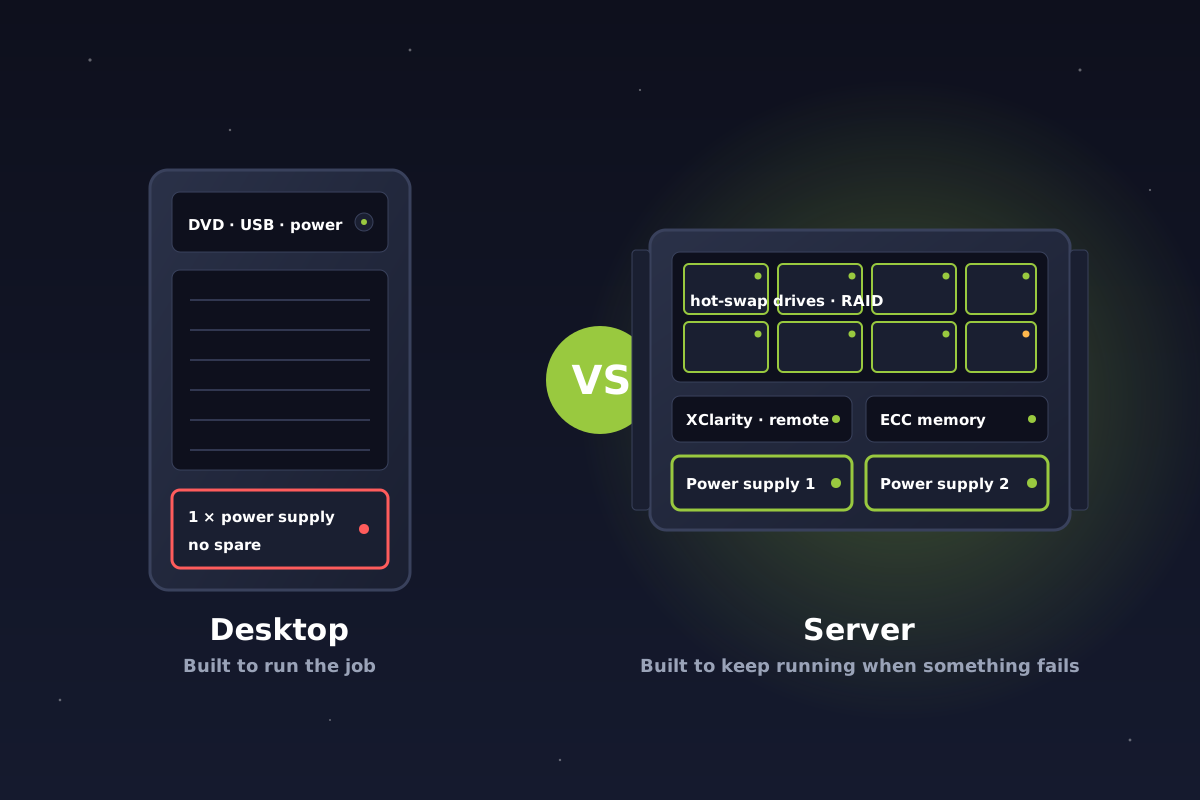
Can a desktop be your server? It can, but it shouldn't always be. See why Lenovo ThinkSystem servers win on reliability, redundancy, remote management and downtime.
October 14, 2026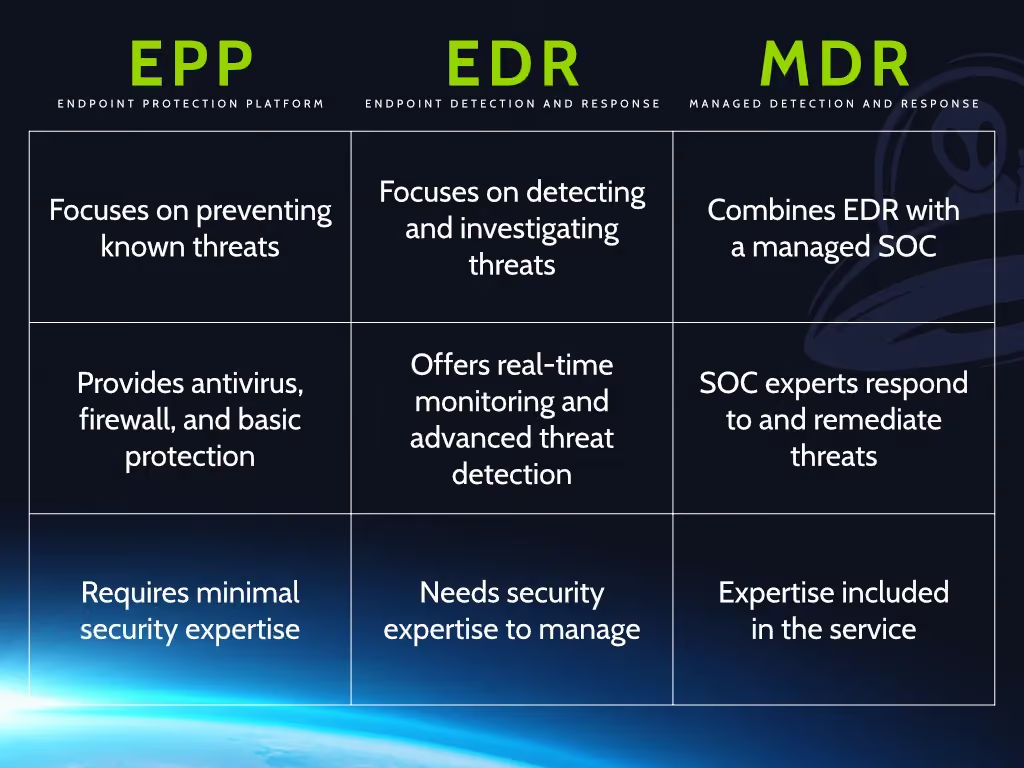
Antivirus, EDR and MDR explained in plain language, and why antivirus alone no longer protects Alberta and Canadian businesses from ransomware and modern attacks.
October 13, 2026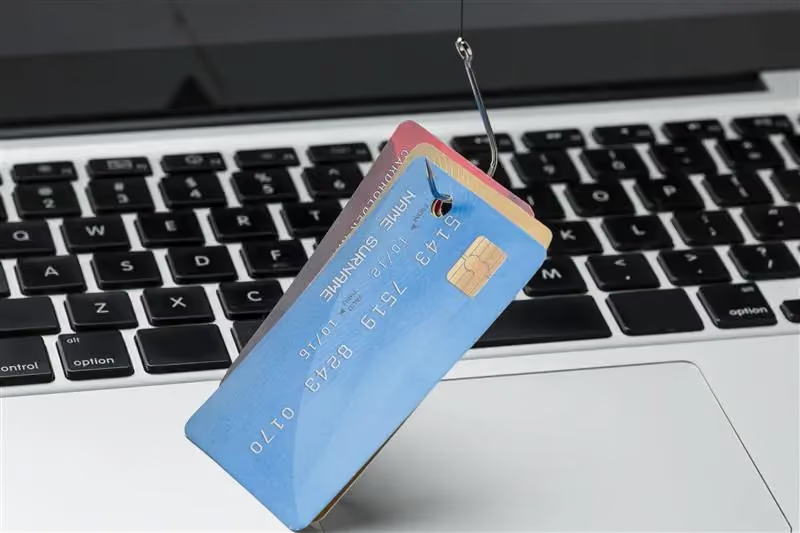
Getting phishing emails that use your employees' real names? Learn how display-name impersonation works, how attackers find names, and why it rarely means a hack.
October 13, 2026