
Why Buy a Real Server When a Desktop Can Do the Same Job?
Can a desktop be your server? It can, but it shouldn't always be. See why Lenovo ThinkSystem servers win on reliability, redundancy, remote management and downtime.
October 14, 2026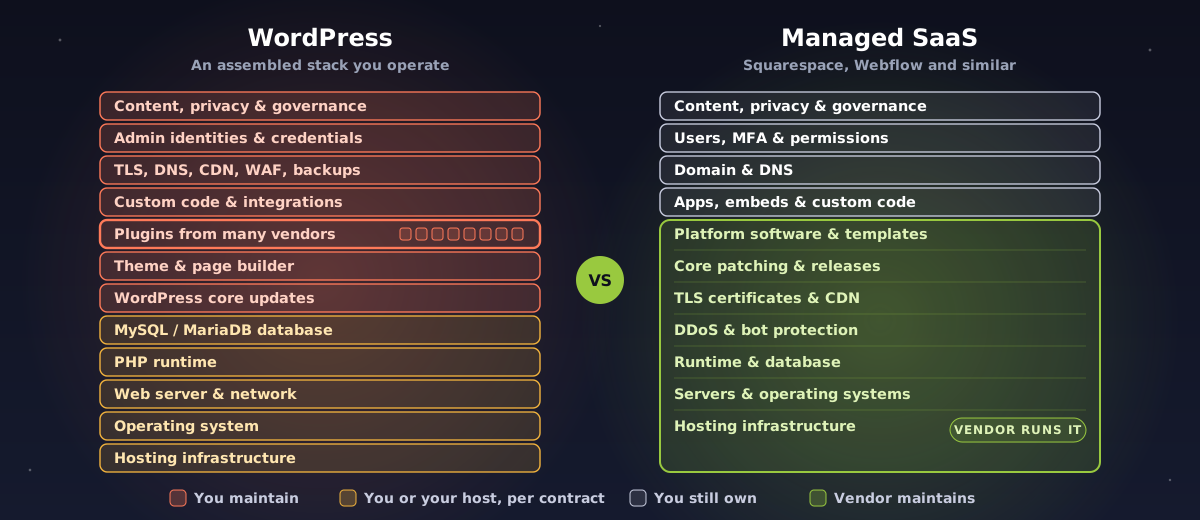
Squarespace, Webflow or WordPress? It sounds like a design question. It's really a question about who is going to maintain your website for the next five years, and what happens on the day nobody does.
Our recommendation is simple: when Squarespace, Webflow or another reputable managed platform can meet your functional, accessibility, integration, content and governance requirements, choose the managed platform over WordPress.
That isn't because WordPress is insecure. WordPress core is mature, actively maintained software. The practical problem is that a production WordPress website is rarely just WordPress core.
If a managed platform meets the business requirements, WordPress usually adds technical responsibilities without adding matching business value.
The biggest practical concern isn't WordPress core. It's your site's particular mix of plugins, themes, custom code, hosting, credentials and delayed maintenance.
Updating isn't one task. It's discovery, prioritization, backup, staging, testing, deployment, validation, monitoring and a way to roll back.
A production WordPress site is an assembled application: hosting infrastructure, a web server, PHP, a database, WordPress core, a theme, plugins from several vendors, custom code, administrator accounts, integrations, backups, monitoring and security tooling. WordPress's own documentation lists PHP, MySQL or MariaDB, HTTPS and the web server as parts of the environment the site operator has to provide.
Every one of those layers has its own lifecycle, its own supplier, its own compatibility rules and its own potential vulnerabilities. Someone has to keep the whole assembly maintained. That someone is you, or whoever you pay.
A managed platform moves that line. The vendor operates the platform, infrastructure, runtime, core software, edge services and much of the vulnerability management. You still own identity, content, privacy, integrations, your domain and governance, but you no longer run a general-purpose web application stack. The picture at the top of this post shows the difference.
| When this goes wrong | Who usually owns the fix |
|---|---|
| WordPress core defect | The WordPress project writes the fix. The site operator deploys or verifies it. |
| Plugin or theme defect | An independent developer writes the fix. The site operator has to notice and deploy it. |
| Abandoned plugin or theme | The site owner must replace or remove it. |
| PHP, database or server defect | The host or the site operator, depending on the hosting agreement. |
| Weak passwords or excess privileges | The customer. |
| Insecure configuration or custom code | The developer, agency or customer. |
| Backup and recovery | The customer or host, depending on the contract. |
| Monitoring and incident response | The customer, host, agency, security provider, or an unclear mix of all four. |
That last row is the quiet risk. When ownership isn't written into a contract, a vulnerability can be known and still sit unpatched, because every supplier assumes someone else is handling it.
With Squarespace or Webflow, the vendor generally manages the runtime, infrastructure, deployment pipeline, platform patching, hosting architecture and TLS. Webflow, for example, describes fully managed hosting with automatically renewed SSL certificates, vulnerability scanning, Cloudflare DDoS and bot protection, and SOC 2 Type II alignment. Those are vendor claims, and they should be checked against the plan and contract you actually buy.
SaaS doesn't eliminate risk. It concentrates platform risk with a specialist that patches one common platform centrally, instead of every customer having to find and fix problems in their own unique stack.
The plugin system is designed to make WordPress easy to extend. That flexibility is WordPress's greatest strength and its biggest operational security weakness, because a plugin is executable code running inside your website. Depending on what it does, a plugin may:
A defect in any one plugin can therefore affect the confidentiality, integrity or availability of the entire site.
A site with 20 plugins doesn't have one software lifecycle. It has all of these:
26 separate suppliers and release schedules, any of which can need attention on any day.
The WordPress ecosystem has excellent professional vendors. It also has small developers, acquired products, freemium products, discontinued projects and plugins maintained as side projects. Most businesses can't meaningfully evaluate a plugin's secure development practices, maintainer continuity, code review, dependency management, disclosure practices, patch speed, ownership changes or long-term viability.
Source: Patchstack, State of WordPress Security in 2025 (covering 2024).
Read those numbers carefully. They count disclosed vulnerabilities, not breaches, and they aren't the odds that any particular WordPress site gets hacked. WordPress's enormous install base and plugin ecosystem attract more researchers, so raw comparisons with other platforms aren't fair.
The defensible conclusion isn't that every WordPress site is unusually vulnerable. It's that every organization running WordPress has to govern its own collection of third-party code.
A responsibly run WordPress site needs a recurring process, not occasional updates.
| Workstream | What it involves |
|---|---|
| Asset inventory | Record core, host, PHP, database, theme, plugin and integration versions. |
| Vulnerability monitoring | Watch advisories and exploitation reports for every installed component. |
| Updates | Apply core, plugin, theme and runtime security releases. |
| Staging | Reproduce the production setup in a test environment. |
| Regression testing | Test layouts, forms, search, ecommerce, integrations, sign-in and analytics. |
| Backups | Keep protected backups, and actually test restoring them. |
| Monitoring | Detect availability, file, account and behavioural anomalies. |
| Protective controls | Configure a WAF, malware scanning, rate limiting and bot protection where appropriate. |
| Identity | Enforce MFA, least privilege, account reviews and clean offboarding. |
| Compatibility | Track PHP, database, theme and plugin support matrices. |
| Incident response | Contain, investigate, rebuild, restore and communicate. |
| Component replacement | Replace abandoned or incompatible plugins and themes. |
The security assessments we run for clients treat software inventory, continuous vulnerability management, administrative privilege, logging, malware defence, backups, secure configuration and incident response as separate control areas. Manual third-party patching, no scanning, poor tracking of fixes and no way to prioritize them all show up as real gaps.
Automatic updates shorten the time you're exposed. They don't answer any of these:
WordPress's own update guide tells you to back up before replacing files. That's the trade-off in one sentence: wait, and you stay exposed longer; update immediately, and you risk breaking the site. When we talk this through with clients, that's exactly the worry we hear: constantly checking WordPress, plugin and version vulnerabilities, knowing that the patch itself might break a page or a feature.
These are illustrations, not a complete list, and there are no exploit details here.
A critical authentication bypass, disclosed in November 2024, in a security plugin Patchstack lists at around 4 million installs.
Lesson: a product's purpose doesn't predict its code quality. Even a security plugin can become the way in.
A privilege-escalation flaw in a performance plugin with around 6 million installs.
Lesson: speed, analytics and convenience plugins are inside your security boundary, even when they don't seem to touch sensitive data.
A critical SQL injection that Patchstack lists among the most actively exploited new vulnerabilities of 2024.
Lesson: once mass exploitation starts, organizations that don't know they run the plugin can't respond quickly.
This isn't theoretical. In one 2023 network threat assessment, we saw traffic matching a WooCommerce authentication-bypass signature among the application attacks detected. That doesn't mean a particular site was compromised, but it shows WordPress extension vulnerabilities turning up in real-world attack traffic.
Squarespace is the most integrated: less low-level customization and more platform lock-in, but the subscription includes platform maintenance and a support organization. That's the trade-off clients notice first.
Webflow gives far more design and front-end flexibility while keeping a managed hosting model. Webflow's own guidance stresses repeatable workflows, QA checklists and clear roles, which is a good reminder that managed infrastructure doesn't remove the need for publishing governance.
Both remain shared-responsibility services. A compromised admin account, a malicious embedded script, a misconfigured integration or a vendor outage can still hurt your website.
| WordPress | Squarespace | Webflow | |
|---|---|---|---|
| Infrastructure | You, your host or a managed host | Vendor | Vendor |
| Core patching | Site operator must verify | Vendor | Vendor |
| Plugin or app exposure | Highly variable | Limited extensions and scripts | Apps, APIs and custom code still need review |
| Runtime maintenance | PHP, database and server | Vendor-managed | Vendor-managed |
| Update breakage risk | High: parts update independently | Lower at platform level | Lower at platform level |
| Vulnerability monitoring | You or your provider | Mainly vendor, for the platform | Mainly vendor, for the platform |
| Backups | Must be defined in a contract and tested | Vendor features plus your continuity plan | Vendor features plus your continuity plan |
| WAF and edge security | Separate host, CDN or security service | Platform-managed | Platform-managed, documented by vendor |
| Expertise needed | Moderate to high | Low to moderate | Moderate |
| Customization | Very high | Limited to moderate | Moderate to high |
| Lifecycle predictability | Depends on every supplier | Relatively predictable | Relatively predictable |
| Incident coordination | Often several parties | Vendor plus you | Vendor plus you |
| Lock-in | Portable in theory; plugins complicate moves | Higher | Moderate to higher |
| Best fit | Requirements that justify the control and complexity | Standard business, content and commerce sites | Design-led, marketing and structured-content sites |
The software is. A securely operated WordPress service isn't. An honest cost comparison has to include all of this:
A managed platform bundles much of that into a predictable fee. It may look more expensive than basic WordPress hosting, but basic hosting and secure lifecycle management are not the same service.
WordPress can be the better choice when you have:
If that's you, treat WordPress as a managed business application, not a low-maintenance website. That means a named owner, supported components, staging, tested backups, MFA, monitoring, WAF protection, vulnerability intelligence, documented patch windows and an incident response plan.
Managed SaaS should be the default. WordPress should be the justified exception.
If Squarespace, Webflow or another reputable managed platform meets your requirements, handing infrastructure, runtime, platform patching, TLS and much of the vulnerability management to a specialist materially reduces the number of things that can fail on your watch.
The remaining risks are real: vendor concentration, lock-in, account compromise, insecure custom code, third-party integrations and outages. But they're generally more bounded and easier to govern than a unique collection of WordPress core, plugins, themes, PHP, database, hosting and custom code.
Weighing a new website, or wondering what's really running under your current one? Our websites and marketing team can help you pick the right platform, and our cybersecurity team can review the risk of the site you already have. Talk to us.
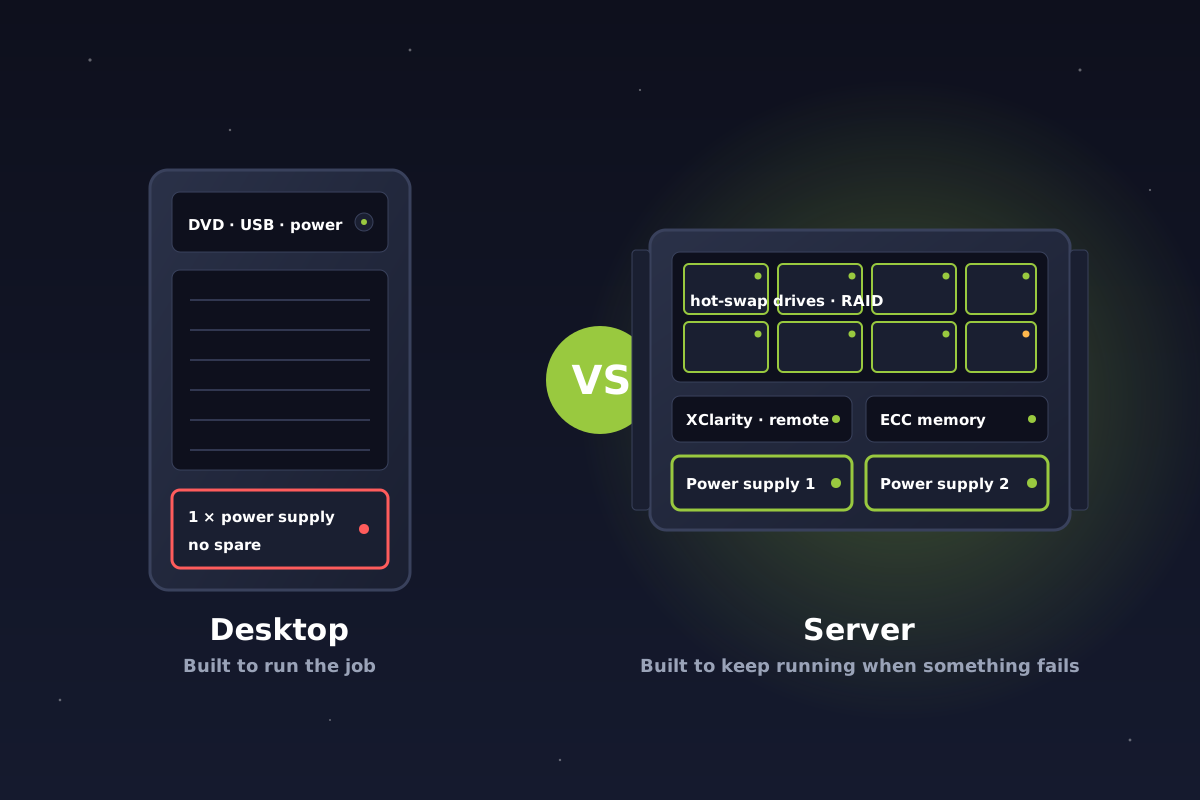
Can a desktop be your server? It can, but it shouldn't always be. See why Lenovo ThinkSystem servers win on reliability, redundancy, remote management and downtime.
October 14, 2026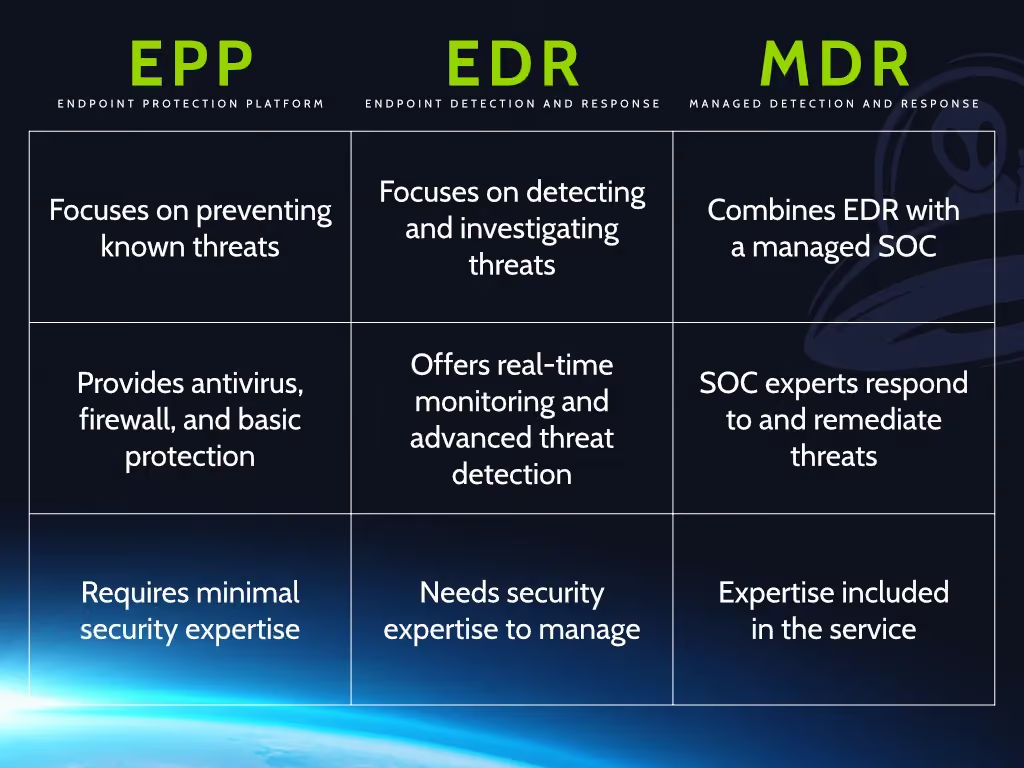
Antivirus, EDR and MDR explained in plain language, and why antivirus alone no longer protects Alberta and Canadian businesses from ransomware and modern attacks.
October 13, 2026
Getting phishing emails that use your employees' real names? Learn how display-name impersonation works, how attackers find names, and why it rarely means a hack.
October 13, 2026